Weekend Activity Wheel: Settle Weekend Plans & Activities Instantly
Published August 04, 2026 | By Editorial Team
Table of Contents
1. Introduction
Banish the frustrating paralysis of endless weekend debates and decision fatigue. Whenever families, couples, roommates, or friend groups try to decide how to spend their precious Saturday or Sunday time off, they frequently run into conflicting preferences and indecision. Should you lace up hiking boots for a trail walk, head to a local museum, host a movie marathon, or bake delicious treats at home? Endless group chats and circular debates often waste valuable morning hours, leaving everyone tired before the day even begins.
A specialized weekend activity wheel solves this problem by turning a list of leisure possibilities into a vibrant, interactive, and fair decision-making experience. By mapping your favorite weekend ideas onto symmetrical, colorful slices of a digital spinning wheel, everyone gets equal input and a transparent outcome. According to research published on our official editorial blog, using a dedicated decision spinner like our What Should I Do Today Guide or Free Spin the Wheel Tool Guide can eliminate choice overload and inject spontaneous fun back into your free time. This comprehensive guide covers the physics, features, custom presets, and best practices for creating unforgettable weekends using a random activity picker.
2. Quick Answer Section
A Weekend Activity Wheel is an interactive, browser-based decision tool that divides a list of leisure choices into equal visual wedges on a responsive circular canvas. When triggered, the wheel spins smoothly and decelerates using physics-based friction models before coming to a stop on a single activity segment. Powered by high-entropy Pseudorandom Number Generators (PRNGs), every option—whether an outdoor hike, board game tournament, beach day, or baking session—has an identical mathematical probability of being selected. Utilizing pre-built presets or our custom presets database enables families and social groups to load custom activity rosters, scramble starting positions, and start their weekend adventure in seconds.
3. What Is a Weekend Activity Wheel?

What Is It?
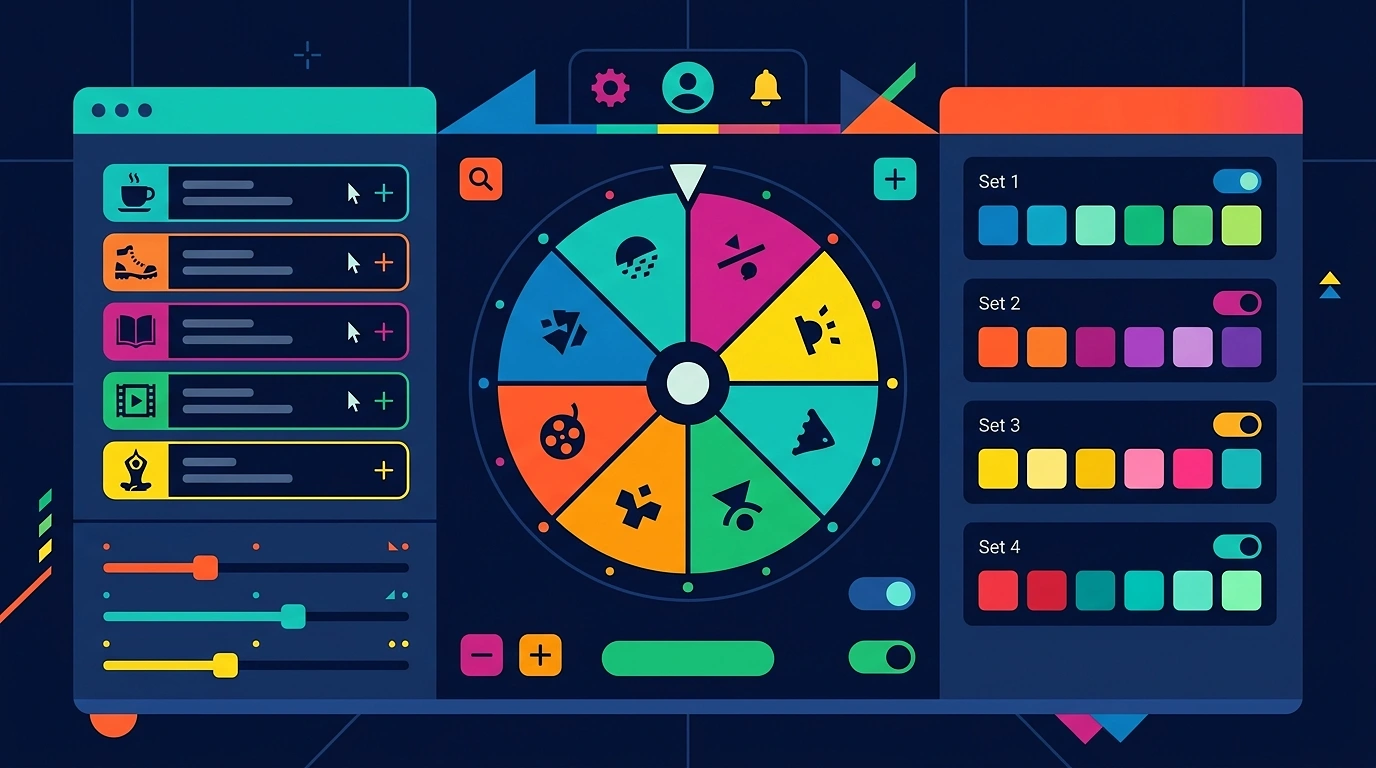
A weekend activity wheel digitizes the age-old practice of drawing activity slips from a jar or holding endless group votes. Your chosen activity ideas are entered or loaded with one click, and the software instantly renders them onto alternating, colorful segments around a digital circular board.
Why Does It Matter?
Manual voting and group discussions often default to the loudest voice or lead to compromise choices that nobody is truly thrilled about. A visual activity wheel overcomes these barriers by turning the selection process into a fun, gamified event where chance decides the outcome fairly.
How Does It Work?
1. Activity Roster Configuration: The user inputs custom activity ideas or loads popular presets like 'Hiking', 'Museum Visit', 'Movie Marathon', or 'Picnic'.
2. Equal Wedge Generation: The application computes the slice angle (360 / n) for all n entries and renders high-contrast wedges on an HTML canvas.
3. Velocity Initialization: Clicking 'Spin' triggers standard browser cryptographic APIs to calculate a random terminal rotation speed.
4. Physics & Sound Friction: Over 5 to 7 seconds, the rotational speed gradually slows down while playing satisfying haptic ticking sound effects.
5. Winning Outcome: The indicator peg stops over the winning activity, triggering celebratory confetti and a full-screen winner modal.
4. Why Weekend Activity Wheel Matters

Defeating Group Indecision and Routine Ruts
When faced with too many weekend options, people naturally suffer from decision fatigue. Repeating the exact same restaurant or sofa routine becomes the path of least resistance. An objective random selector breaks routine patterns and encourages group members to try fresh hobbies and outdoor ventures.
Gamifying Leisure Time for Families and Friends
Spinning a visual wheel adds genuine excitement to weekend planning. The suspense as the pointer ticks past adjacent options builds anticipation among kids and adults alike, making even simple household activities feel like a fun game show reward.
Decision Framework Comparison
| Feature Parameter | Digital Weekend Activity Wheels | Group Voice Voting | Paper Slip Jar Draws |
| --- | --- | --- | --- |
| Setup Speed | Instant single-click load | Requires consensus debates | Slow manual paper folding |
| Spontaneity & Fun | High suspense with audio/confetti | Low (predictable outcomes) | Moderate visual appeal |
| Customization | Unlimited entries & themes | Hard to track multiple ideas | Messy to edit or update |
| Equal Fairness | 100% PRNG mathematical parity | Biased toward loudest voters | Prone to biased physical draws |
| Mobile Accessibility | Works on all smartphones & tablets | Local in-person only | Physical slips required |
| Feature Parameter | Digital Weekend Activity Wheels | Group Voice Voting | Paper Slip Jar Draws |
|---|---|---|---|
| Setup Speed | Instant single-click load | Requires consensus debates | Slow manual paper folding |
| Spontaneity & Fun | High suspense with audio/confetti | Low (predictable outcomes) | Moderate visual appeal |
| Customization | Unlimited entries & themes | Hard to track multiple ideas | Messy to edit or update |
| Equal Fairness | 100% PRNG mathematical parity | Biased toward loudest voters | Prone to biased physical draws |
| Mobile Accessibility | Works on all smartphones & tablets | Local in-person only | Physical slips required |
5. How to Use / Implement
Organizing an exciting weekend with a random activity picker is straightforward and stress-free:
1. Curate Your Activity List: Gather input from family or friends and enter items such as 'Hiking', 'Beach Picnic', 'Board Games', or 'Cooking Class'.
2. Customize Visual Aesthetics: Open the settings panel to choose vibrant color palettes, dark mode themes, or pastel aesthetics that match your mood.
3. Set Haptic Audio Cues: Enable realistic clicking sound effects and victory chimes so everyone can follow the wheel's deceleration over speakers.
4. Execute the Weekend Spin: Gather everyone around the phone or laptop screen and tap the center button to launch the spin animation.
5. Honor the Result: Commit to the selected activity to keep the spirit of spontaneous fun alive!
6. Step-by-Step Guide
Step 1: Inputting Custom Activities and Shuffling Lists
Locate the entry text field. Type or paste your desired activities, putting each option on a new line. Click the 'Shuffle' button to scramble the slice placements randomly on the canvas. For saved lists, log into our secure user portal to store custom weekend rosters directly on your personal dashboard.
Step 2: Selecting Sound Effects & Audio Dynamics
Pick your preferred audio profile. Choose between classic mechanical wheel ticks, arcade sound cues, or festive bell chimes. The haptic ticking rate automatically scales with the wheel's rotational speed for realistic feedback.
Step 3: Calibrating Spin Duration and Friction Models
Adjust the rotation timer. A 5 to 7 second spin duration paired with smooth friction dampening provides the ideal balance of suspense and efficiency without dragging out the decision.
Step 4: Enhancing Contrast and Wedge Colors
Select high-contrast alternating color schemes so labels remain crisp and readable across smartphones, tablets, and smart TV screens.
Step 5: Structuring Winner Modals & Result Removal
Choose whether the winning option should trigger a celebratory pop-up modal with confetti. If you want to plan an entire weekend schedule with multiple distinct activities, enable the auto-remove option to eliminate drawn choices from subsequent spins.
7. Key Sizing Mechanics & Algorithms

Responsive Canvas Vector Rendering
What it is
Dynamic vector math scaling using the HTML Canvas API to render wheel slices crisply on high-DPI retina screens and mobile displays.
Why it matters
Ensures text labels and activity icons stay sharp whether viewed on a handheld phone or projected onto a living room television.
Best practices
Maintain responsive font scaling algorithms so text shrinks gracefully as more activity options are added.
Cryptographically Secure Random Number Generation
What it is
Leveraging the browser's native Web Crypto API to calculate terminal rotation angles with cryptographically secure entropy.
Why it matters
Guarantees that every activity on the wheel has a mathematically equal chance of winning, preventing pattern predictability.
Best practices
Keep randomization server-free and client-side for maximum speed and privacy, as outlined in our privacy policy and terms of service.
Physics-Based Audio Synchronizer
What it is
An event listener that triggers audio ticks precisely as slice boundary lines pass underneath the top indicator needle.
Why it matters
Syncing sound directly to visual deceleration creates a realistic physical simulation that enhances group engagement.
Best practices
Use lightweight Web Audio API synthesis or preloaded audio buffers to ensure zero playback latency during fast spins.
8. Practical Examples of Weekend Activity Selection
Example A: Settle Date Night or Couple's Weekend Plans
A couple wants to spend a memorable Saturday together but cannot agree on what to do. They load the Weekend Activity Wheel preset containing options like 'Try a New Bistro', 'Stargazing at the Park', 'Visit an Art Museum', and 'Cook a Italian Feast'. Spinning the wheel lands on 'Visit an Art Museum', instantly settling the debate and starting their day with excitement.
Example B: Family Weekend Adventure with Kids
Parents looking to keep their kids active on Sunday morning populate the wheel with 'Nature Trail Hike', 'Science Center Visit', 'Baking Chocolate Cookies', and 'Backyard Scavenger Hunt'. The kids take turns clicking spin, and the wheel stops on 'Backyard Scavenger Hunt', turning morning planning into a joyful family game.
Example C: Roommate Weekend House Party & Chores
Four college roommates want to mix productivity with fun on Saturday. They load a combined list containing both reward activities ('Pizza Party', 'Video Game Tournament') and group chores ('Clean Kitchen', 'Organize Living Room'). They spin every two hours to rotate between fun events and household tasks.
9. Industry-Specific Weekend Activity Use Cases
For Families & Parents
Ideal for organizing screen-free weekend activities, assigning weekend chores fairly, and choosing Sunday family outings.
For Couples & Dating
Perfect for breaking out of routine date night habits, planning spontaneous day trips, and exploring new local attractions.
For Friend Groups & Roommates
Great for choosing weekend hangouts, picking multiplayer board games, and randomizing party icebreakers.
For Streamers & Online Communities
Awesome for running weekend community game nights, picking subscriber challenges, and randomizing leisure stream themes.
10. Quantifiable Benefits of Choosing Weekend Activities Randomly
11. Technical Constraints and Cache Resets
Intended for Recreational & Leisure Decision-Making
Activity wheels are designed for recreational choices and spontaneous fun. They should not be used for critical medical decisions, legal commitments, or financial management.
Browser LocalStorage Retention
Custom activity lists are automatically saved locally in your browser cache (LocalStorage). Clearing browser data will reset unsaved custom lists unless you save them under your user dashboard.
The Re-Spin Rule
To maintain group trust and keep the element of chance genuine, groups should commit to honoring the first valid spin result!
12. Common Weekend Activity Selection Mistakes
Overloading Slices With Extremely Long Descriptions
Entering full sentences into wheel slices compresses text labels. Keep entries concise (e.g., 'Beach Trip' instead of 'Drive down to the coastal beach park for four hours').
Neglecting Color Contrast & Font Readability
Placing light text on pastel wedges makes the wheel difficult to read on small screens. Opt for high-contrast alternating color schemes.
Forgetting to Enable Audio Permissions
Modern browsers require a user interaction (like clicking the canvas) before playing audio. Make sure to tap the screen once so haptic ticks sound properly.
13. Hand-picked Best Practices for Custom Lists
1. Pre-Shuffle Activity Items: Click the shuffle button before spinning to scramble entry order around the circle.
2. Group Similar Ideas: Create themed wheels for specific weather conditions (e.g., 'Rainy Day Activities' vs 'Outdoor Sunny Adventures').
3. Use Auto-Remove for Multi-Activity Days: Enable 'Remove Winner' if you want to pick three distinct activities for morning, afternoon, and evening.
4. Select Vibrant Color Themes: Choose eye-catching palettes that match the mood of your weekend plan.
5. Keep a Backup Text File: Save your favorite activity rosters in a plain text file for quick copy-pasting.
14. Professional Streamer and Event Optimization Secrets
1. Full-Screen Presentation: Switch to full-screen mode when sharing your screen with a live audience or streaming community.
2. Weighted Probability Slips: Add popular or highly requested activities multiple times to increase their mathematical odds while keeping the element of chance.
15. Checklist for Perfect Execution
Follow this handy checklist before running your weekend activity selection spin:
<ul class='space-y-2 my-4 text-sm text-neutral-500 dark:text-neutral-400 font-semibold font-sans'><li class='flex items-start gap-3 leading-relaxed cursor-pointer group select-none py-1.5 px-2 -mx-2 rounded-2xl hover:bg-neutral-50 dark:hover:bg-neutral-900/40 transition-colors'><span class='mt-0.5 shrink-0 select-none transition-all duration-200 group-active:scale-95'><span class='flex items-center justify-center w-5 h-5 rounded-full border-2 bg-emerald-500/10 text-emerald-700 dark:text-emerald-400 font-bold transition-all'><svg aria-label='Checked item icon' role='img' xmlns='http://www.w3.org/2000/svg' viewBox='0 0 24 24' fill='none' stroke='currentColor' stroke-width='4' stroke-linecap='round' stroke-linejoin='round' class='w-3 h-3'><polyline points='20 6 9 17 4 12'></polyline></svg></span></span><span class='transition-all duration-200 text-sm text-neutral-500 dark:text-neutral-400 line-through decoration-neutral-400'> Activity list checked for duplicates and formatted with short readable labels </span></li><li class='flex items-start gap-3 leading-relaxed cursor-pointer group select-none py-1.5 px-2 -mx-2 rounded-2xl hover:bg-neutral-50 dark:hover:bg-neutral-900/40 transition-colors'><span class='mt-0.5 shrink-0 select-none transition-all duration-200 group-active:scale-95'><span class='flex items-center justify-center w-5 h-5 rounded-full border-2 bg-emerald-500/10 text-emerald-600 dark:text-emerald-400 font-bold transition-all'><svg aria-label='Checked item icon' role='img' xmlns='http://www.w3.org/2000/svg' viewBox='0 0 24 24' fill='none' stroke='currentColor' stroke-width='4' stroke-linecap='round' stroke-linejoin='round' class='w-3 h-3'><polyline points='20 6 9 17 4 12'></polyline></svg></span></span><span class='transition-all duration-200 text-sm text-neutral-500 dark:text-neutral-400 line-through decoration-neutral-400'> High-contrast color palette chosen for clear viewing across all devices </span></li><li class='flex items-start gap-3 leading-relaxed cursor-pointer group select-none py-1.5 px-2 -mx-2 rounded-2xl hover:bg-neutral-50 dark:hover:bg-neutral-900/40 transition-colors'><span class='mt-0.5 shrink-0 select-none transition-all duration-200 group-active:scale-95'><span class='flex items-center justify-center w-5 h-5 rounded-full border-2 bg-emerald-500/10 text-emerald-600 dark:text-emerald-400 font-bold transition-all'><svg aria-label='Checked item icon' role='img' xmlns='http://www.w3.org/2000/svg' viewBox='0 0 24 24' fill='none' stroke='currentColor' stroke-width='4' stroke-linecap='round' stroke-linejoin='round' class='w-3 h-3'><polyline points='20 6 9 17 4 12'></polyline></svg></span></span><span class='transition-all duration-200 text-sm text-neutral-500 dark:text-neutral-400 line-through decoration-neutral-400'> Haptic ticking sound effects and volume levels verified </span></li><li class='flex items-start gap-3 leading-relaxed cursor-pointer group select-none py-1.5 px-2 -mx-2 rounded-2xl hover:bg-neutral-50 dark:hover:bg-neutral-900/40 transition-colors'><span class='mt-0.5 shrink-0 select-none transition-all duration-200 group-active:scale-95'><span class='flex items-center justify-center w-5 h-5 rounded-full border-2 bg-emerald-500/10 text-emerald-600 dark:text-emerald-400 font-bold transition-all'><svg aria-label='Checked item icon' role='img' xmlns='http://www.w3.org/2000/svg' viewBox='0 0 24 24' fill='none' stroke='currentColor' stroke-width='4' stroke-linecap='round' stroke-linejoin='round' class='w-3 h-3'><polyline points='20 6 9 17 4 12'></polyline></svg></span></span><span class='transition-all duration-200 text-sm text-neutral-500 dark:text-neutral-400 line-through decoration-neutral-400'> Deceleration speed set between 5 and 7 seconds for optimal suspense </span></li><li class='flex items-start gap-3 leading-relaxed cursor-pointer group select-none py-1.5 px-2 -mx-2 rounded-2xl hover:bg-neutral-50 dark:hover:bg-neutral-900/40 transition-colors'><span class='mt-0.5 shrink-0 select-none transition-all duration-200 group-active:scale-95'><span class='flex items-center justify-center w-5 h-5 rounded-full border-2 bg-emerald-500/10 text-emerald-600 dark:text-emerald-400 font-bold transition-all'><svg aria-label='Checked item icon' role='img' xmlns='http://www.w3.org/2000/svg' viewBox='0 0 24 24' fill='none' stroke='currentColor' stroke-width='4' stroke-linecap='round' stroke-linejoin='round' class='w-3 h-3'><polyline points='20 6 9 17 4 12'></polyline></svg></span></span><span class='transition-all duration-200 text-sm text-neutral-500 dark:text-neutral-400 line-through decoration-neutral-400'> Result modal settings adjusted (winner removal vs repeat selection) </span></li><li class='flex items-start gap-3 leading-relaxed cursor-pointer group select-none py-1.5 px-2 -mx-2 rounded-2xl hover:bg-neutral-50 dark:hover:bg-neutral-900/40 transition-colors'><span class='mt-0.5 shrink-0 select-none transition-all duration-200 group-active:scale-95'><span class='flex items-center justify-center w-5 h-5 rounded-full border-2 bg-emerald-500/10 text-emerald-600 dark:text-emerald-400 font-bold transition-all'><svg aria-label='Checked item icon' role='img' xmlns='http://www.w3.org/2000/svg' viewBox='0 0 24 24' fill='none' stroke='currentColor' stroke-width='4' stroke-linecap='round' stroke-linejoin='round' class='w-3 h-3'><polyline points='20 6 9 17 4 12'></polyline></svg></span></span><span class='transition-all duration-200 text-sm text-neutral-500 dark:text-neutral-400 line-through decoration-neutral-400'> Group agreement established to honor the chosen spin outcome </span></li></ul>
16. Frequently Asked Questions (FAQ)
What is a Weekend Activity Wheel?
It is a modern, virtual decision-making spinner that helps families, couples, and friend groups randomly select weekend activities from a custom roster with total mathematical fairness.
How does the activity selection randomizer work?
Our tool uses secure, high-entropy Pseudorandom Number Generation (PRNG) algorithms to allocate equal probability to every slice, ensuring completely unbiased selection.
Can I use the Weekend Activity Wheel on my mobile phone?
Yes! The tool is hardware-optimized for smooth performance on iOS and Android smartphones, as well as tablets and desktop computers.
Can I save custom weekend activity rosters?
Yes. When logged into our secure user portal, you can build, save, and access your custom activity wheels anytime from your dashboard.
Is the Weekend Activity Wheel free to use?
Yes! All randomizer tools, presets, and decider engines on RandomWheeler are 100% free with no sign-up requirements or paywalls.
17. Supporting Related Topics
Explore our complete ecosystem of specialized decision tools built to eliminate indecision and spark fun using principles from Decision Theory:
18. Conclusion
Choosing weekend activities using a specialized virtual wheel is a delightful way to overcome choice overload and bring spontaneous joy to your leisure time. By turning weekend decisions into an engaging visual experience complete with haptic sounds and fair physics, you ensure every member of your group feels included.
Whether you are planning a romantic date day, a fun-filled family Sunday, or a relaxing solo weekend, our platform is ready to deliver an instant, unbiased choice. Load your favorite activities today, hit spin, trust the random generator, and enjoy your perfect weekend!